Posts

Technique Tuesday: Russian Join - Yarn
Image
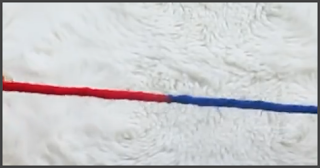
How to Join two Pieces of Yarn Today's Technique Tuesday we are going to learn how to join two pieces of yarn, so that the join is invisible.  This is beneficial when you are changing skeins of yarn or when you are changing colors. This tip is from Heart Hook Home . Tools You'll need a tapestry needle with a large hole and pointy tip and two skeins or peices of yarn that you are joining. You can purchase an excellent kit of a variety of tapestry needles on Amazon .   Video: How to Make a Russian Join for Crocheting and Knitting This blog isn't sponsored If you enjoy reading the my blog posts please consider supporting my creative endeavors by donating via  PayPal Me  or  Buying Me a Cup of Tea/Coffee .

Technique Tuesday: How to Make a Beanie

Image
How to Make a Beanie with a Sentro Knitting Machine Today's Technique Tuesday we are going to learn how to make a beanie using the Sentro Knitting Machine  in about 20 minutes.  I made my first beanie a few weeks ago and was shocked how quickly I was able to make it with no knitting experience. I have made afghan throws & scarves in the past and crochetted a throw, but never knitted, frankly because it seemed like a really difficult thing to do with two needles. The Sentro Knitting Machine makes knitting a cinch. This 48 pin machine (it comes in smaller sizes) will make knits of a certain size. But that's ok, because the size of the pins are the average sized knits for beanies/hats, scarves, gloves, and sweaters aka jumpers. This is beneficial when you are connecting two completed panels and you do not want a noticeable seam in the garment/design.  Tools 1. Sentro Knitting Machine (or another round knitting machine like the Aldi). You can purchase one from thei...

Wednesday Wisdom: Carpal Tunnel Nerve Glide Exercises

Image
If you are a keyboard warrior, a writer, or do any extensive work with your hands you are at risk for developing carpal tunnel syndrome. This is an issue where the nerve is pinched. There are nerve glide exercises you can do to alleviate this syndrome.  Video This blog isn't sponsored If you enjoy reading my blog posts please consider supporting my creative endeavors by donating via  PayPal Me  or  Buying Me a Cup of Tea/Coffee .

Singer PSW Deluxe Embroidery Software Update

Image
Digitizing with PSW Deluxe™ The eBook is no longer available for purchase. Thanks for your interest in the Digitizing with PSW Deluxe Embroidery Software eBook. The book is no longer available for purchase, but there is a suite of courses on my tutorial YouTube channel that teaches how to use all of the software tools.  Unfortunately, the company that Singer partnered with to create their embroidery software, Compucon, went out of business. So, Singer built a partnership with the company that created embroidery software for Husqvarna and Pfaff and is no longer offering PSW Deluxe embroidery software bundled with their machines or as a standalone. Without a market available for the book, that is few customers, I made the prudent decision to pull it from the marketplace.  If you own the PSW Deluxe software and never got around to learning how to use it, watch my courses online . The software is pretty powerful and will have you quickly creating custom designs or modifying...

Fit Life: Tight Hips

Image
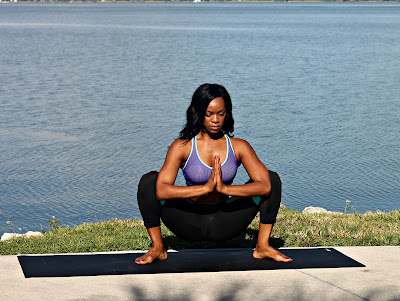
I have spent the past two weeks, working almost non stop building a 200 sqft extension to my existing patio. And it has taken a toll on my body.  Garland Pose - Margo Francis After standing up from a low stool last night, my left hip starting screaming at me. And after an excruciating night of sleep I found these wonderful yoga exercises that should help me keep my hips nimble and should help you too. 3 Yoga Poses for Tight Hips #FitLife

Preparing Photos for the Web and Print - Canon DPP 4

Image
Batch Process, Save, Export, and Print Once you’ve followed the processing techniques in lessons 1 - 10  you’ll want to share your favorite shots with family, friends and clients. In this lesson we’ll look at ways to get your shots looking their best whichever media you choose to share them in. You can set up Digital Photo Professional 4 to display a narrower range of colors if you’re processing for print, or a wider range if you’re planning to share electronically. Mini Guide Follow along and take notes  That's the end of the 11 tutorials for DPP. You should now know enough to be dangerous and create great photos for your clients & customers, yourself, and your family & friends. The End Enjoyed this lesson, comment below or tweet along with me  Tweet to @DesignsOwens Additional Resources There are additional video tutorials for Canon's tools that may interest you: Canon Picture Style Editor Tutorials Nine in-depth videos to help you fine tune creati...

Selective Color Adjustments - Canon DPP 4

Image
Adjust Image Colors Panel Discover how the Adjust Image Colors palette enables you to target and tweak the Saturation and Lightness of individual colors in Canon's Digital Photo Professional 4. This enables you to selectively boost colors without over-saturating skin tones for example. You can darken the luminance of skies to add more drama. Save the adjustments as a Recipe to apply to other images in a click. Mini Guide Follow along and take notes  Lesson Files Download the course file(s) so that you can practice with the same file(s) the instructor is working on; download the course file(s) here . Enjoyed this lesson; comment below or tweet along with me  Tweet to @DesignsOwens Lesson 10: Preparing Photos for Print & the Web Want to see all of the 11 DPP Lessons, click the DPP keyword below.